Bottom line
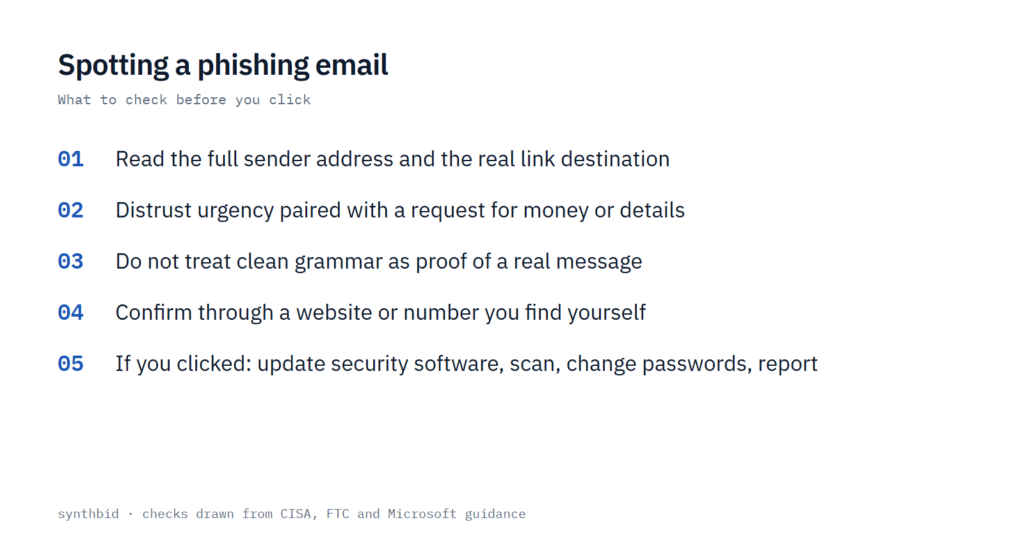
- Check who the message is from and where its link really goes before you judge the writing, because perfect grammar no longer clears an email.
- The combination to distrust is pressure plus a request: urgent wording that wants you to click, pay or confirm personal details.
- If you already clicked or replied, update your security software, run a scan, change the affected passwords and report the message. The routes are listed near the end.
The short answer
A phishing email pretends to be a bank, a store, a coworker or a friend so that you click a link, open a file or hand over a password or payment detail. CISA says these messages are designed to look like they come from a trusted person or organization, and that the same bait also arrives by text, social media message and phone call.
One piece of old advice has weakened. For years the first tip was to look for typos. CISA now says some emails have perfect grammar and spelling, so the other signs carry the weight. CNET explains why: attackers can use large language models to write personalized, grammatically flawless phishing emails.
My own method is two questions in order. What does this message want me to do, and can I confirm that request without using anything inside the message? The red flags below help with the first question. The verification steps and the reporting routes help with the second.
Start with the sender’s address
Read the full address, not only the sender name that shows first. Microsoft’s support page says that if a message claims to be from a company such as Microsoft or your bank but comes from a free domain like Gmail.com, or from a lookalike such as microsoftsupport.ru, it is probably a scam.
Subtle misspellings are the next layer. Microsoft gives micros0ft.com, with a zero in place of the second o, and rnicrosoft.com, where an r and an n stand in for the m. CISA’s example is amazan.com, and another guide gives paypal1.com for someone impersonating PayPal. Usernames can be off too, such as contact12 for a fake customer service desk, or a random mix of words and numbers.
One guide treats a random string of letters and numbers as an address set up in bulk by scammers, and says that official institutions and your colleagues do not have addresses like that.
The free-mail rule has an exception, and the sources disagree on it. PCWorld says to delete a message that claims to be from an official account but comes from a generic Gmail or Hotmail address. CNET says some legitimate inquiries do come from unbranded addresses, although established professionals at large companies use their company’s domain. I use the narrower rule: a free-mail address is damning when the message claims to speak for a company.
Two more cues come from Microsoft. Outlook shows a banner saying it could not verify the sender when something in the email headers looks suspicious, and Microsoft says to stay cautious about the content. It also advises extra care with first-time senders, infrequent senders and anything marked [External], while saying that a first-time sender is not unusual by itself.
What the message wants from you
Pressure is the most consistent sign across the guidance. CISA lists urgent or emotionally appealing language that threatens dire consequences if you do not respond immediately. Microsoft says a false sense of urgency is used so that you do not think it through or ask an advisor who might warn you. One media guide adds that very few things sent by email or text need immediate action.
The FTC lists the stories that phishing emails and texts tell. A message that does any of the following is worth a second look:
- Says it has noticed suspicious activity or log-in attempts on your account.
- Claims there is a problem with your account or your payment information.
- Asks you to confirm personal or financial information.
- Includes an invoice you do not recognize.
- Wants you to click a link to make a payment.
- Says you are eligible for a government refund, or offers a coupon for free stuff.
In the FTC’s worked example, the email used a real company’s logo. The tells were a generic greeting, a claim that the account was on hold because of a billing problem, and a link to update payment details. The FTC adds that legitimate companies will not email or text you a link to update your payment information. I would keep that sentence in mind, because it settles a lot of billing scams on its own.
A generic greeting such as Dear sir or madam is a warning sign in Microsoft’s list. Another guide adds a policy test: banks and tax authorities often publish rules about how they will contact you, so a message that asks for personal information by email when the published policy says it never will is probably a scam. A note out of character deserves a pause too, such as your boss emailing at an hour they never work.
Spelling, grammar and tone
Microsoft still lists spelling and grammar errors as a warning sign, and notes that some are deliberate, to evade filters. Three other sources say the signal has weakened. CISA says some emails now have perfect spelling and grammar. PCWorld calls errors less common in 2026, because scammers can use writing tools. And messages drafted by large language models are usually free of typos, according to that guide.
My rule is that an error adds to the suspicion and a clean message tells you nothing. The better question is whether the message contains anything that only the real sender would know. One of the guides describes a fake fan email that only rearranged words from the author’s own public book blurb, which is the kind of empty personalization worth noticing.
Links and attachments
Hover before you click. Microsoft says to rest the mouse over a link without clicking it, then compare the address that appears with the one the message claims. One guide points to the bottom-left of the browser window, where the destination shows. On Android, a long-press shows the link’s properties, and on iOS Microsoft recommends what Apple calls a light long-press.
A mismatch is not the only clue. CISA also lists untrusted shortened URLs among the common signs. When a domain looks plausible, one guide suggests searching for it with the word scam added, and admits that the method is not foolproof. I would use that as a tie-breaker and never as proof that a link is safe.
Unexpected attachments carry the same risk. Attachments are one of the most popular ways to spread malware, one guide says, and an email service scanning them is no guarantee. Another guide adds that scammers who want your payment app details may attach invoices to look more realistic, and that malicious file names often include random letters, numbers or symbols. If you were not expecting the file, or the name or type looks odd, do not open it.
If the attachment might be real, one of the guides suggests asking the sender, through a different channel, to send it again by a more secure route such as a cloud service.
How to check without trusting the message
CISA’s rule is short. If a message looks suspicious, it is probably phishing. If you think it could be real, do not click any link or call any number in the message, and find another way to reach the company or the person.
- Leave the message alone: do not click a link or call a number inside it.
- Look up the company yourself. Search for its site or type the address you are sure of, and take the contact details from the verified website. Microsoft adds that a number printed on a bill, a statement or the back of a membership card works as well.
- If the message appears to come from a person you know, reach them another way, such as a text or a phone call, and ask whether they sent it.
- Ask the FTC question: do I have an account with this company, or do I know this person? If the answer is no, review the signs, report the message and delete it. If the answer is yes, contact the company on a phone number or website you know is real.
- Report the message, then delete it. Do not reply and do not click anything, including an unsubscribe link.
The same approach covers calls from relatives. Two of the guides I read suggest agreeing a code word, number or phrase with family in advance, because AI can clone a loved one’s voice. That is a phone problem and not an email one, so my guide to stopping spam calls covers the rest.
If you already clicked or replied
Start by writing down what happened while it is fresh: any usernames, account numbers or passwords you shared, and where the message arrived. Microsoft puts that first because the details help later. Then follow whichever of these cases applies.
- You clicked a link or opened an attachment. The FTC says to update your computer’s security software, run a scan and remove anything it flags. If you have no security software, my Malwarebytes review covers what the free and premium versions include.
- You typed a password. Microsoft says to change it at once on every affected account and anywhere else you reuse it, and to use a unique password for each account. A password manager makes that practical. Also confirm that multifactor authentication is on for every account that offers it.
- You shared a Social Security, card or bank number. The FTC points to IdentityTheft.gov, which gives specific steps based on what you lost. Microsoft adds that you may want to alert the card or bank company to possible fraud. If you want ongoing monitoring afterwards, my ranking of identity theft protection services compares the options.
- It touched a work or school account. Microsoft says to notify the IT support team at your work or school.
- You lost money or your identity was stolen. Microsoft says not to hesitate and to report it to local law enforcement, and notes that the details you wrote down will help them.
Where to report phishing
Reporting takes less time than deciding what to do with a message. Microsoft says a report improves its filters, and the FTC says the information you give helps fight scammers. The official pages give a route for each channel:
- Outlook and Outlook.com: select the message, then choose Report, then Report phishing. Microsoft calls this the fastest way to report it and remove it from your inbox.
- Another email app, Microsoft route: attach the phishing message to a new email addressed to [email protected]. Do not forward it, because Microsoft needs the original to examine the headers.
- Any phishing email, FTC route: forward it to the Anti-Phishing Working Group at [email protected].
- Phishing text messages: forward them to SPAM (7726).
- The FTC itself: report the attempt at ReportFraud.ftc.gov.
- Your own mail app: CISA says the option to report is usually near the sender’s address or username, or behind the report spam button in the toolbar or settings.
- Microsoft Teams: hover over the message, choose More options, More actions, then Report this message, and select the security risk option for spam, phishing and malicious content.
- A suspicious site in Microsoft Edge: open Settings and more, then Help and feedback, then Report unsafe site.
What not to do, and when the flags mislead
- Do not reply, and do not click unsubscribe. CISA says to delete the message without doing either.
- Do not call a number printed in the message. Look the number up yourself.
- Do not open an unexpected attachment to find out what it is.
- Do not forward a suspicious email to Microsoft from a non-Outlook app. Attach it.
- Do not treat a clean-looking message as safe. Grammar, a logo and a real person’s name can all be copied.
A single flag proves little. Microsoft notes that mail from a first-time sender is not unusual, and the free-mail rule above has exceptions. What changes the odds is a flag together with a request. One guide makes the underlying point: a scam only pays if you send something of value, such as money, gift cards, cryptocurrency or a password.
Filters will not catch everything either. The FTC says spam filters keep many phishing emails out of the inbox, but scammers try to outsmart them, so it recommends four layers: security software set to update automatically, automatic updates on your phone, multi-factor authentication and backups of your computer and phone. Multi-factor authentication makes it harder for a scammer to log in even if they get your username and password. CISA also warns that revealing too much online gives criminals material to phish you specifically. If that worries you, my guide to getting your personal details off the web is the next thing to read.
FAQ
How can you identify a phishing email?
Check the sender address for a mismatched or lookalike domain, look for urgency and a request for money, passwords or personal details, hover over links to see where they really go, and treat unexpected attachments with suspicion. If the message might be real, contact the company through a website or phone number you find yourself.
What are the 7 red flags of phishing?
The sources I read do not agree on a fixed number. One guide lists eight signs and CISA lists four. Urgency and a wrong sender address or link appear on the CISA and Microsoft pages and in both media guides. Spelling errors and generic greetings appear in some lists, but CISA says AI has weakened the grammar test.
What is the most common indicator of a phishing email?
None of the sources ranks the signs by how often they occur, so I cannot give you a statistic. CISA lists urgent or emotionally appealing language first, and one media guide calls urgency the scammer’s best tool. Urgency combined with a request is the pattern I would watch for first.
Can a phishing email have perfect grammar?
Yes. CISA says some emails now have perfect grammar and spelling, and another guide says attackers can use AI to write grammatically flawless messages. Rely on the sender address, the request and the link destination instead.