Bottom line
- You can remove a lot yourself for free: ask Google to drop the results, contact the sites that host your details, opt out of people-search sites one by one, and if you live in California, send a single request through the state DROP tool.
- Google only removes the search result and not the page, so the website that hosts your details still has to be contacted separately.
- Nothing removes you completely and records come back, so I would plan to check again every few months instead of treating this as a one-off job.
This guide is for anyone who searched their own name and found an address, a phone number or an old account they would rather not see. The trade-off is time. The free route works, but it is slow and repetitive, and a paid service buys back your hours, not a guarantee.
The short answer
Yes, a good share of it can be removed, and most of the work costs nothing but effort. Published guides agree on the pattern: ask Google to drop the results, contact the sites that hold the page, and opt out of the people-search and data broker sites that republish your details. They also agree that it never fully ends, because records return.
Here is the order I would work in. It starts with the steps that are free and change the most about what a stranger can find, and it leaves paid help for last.
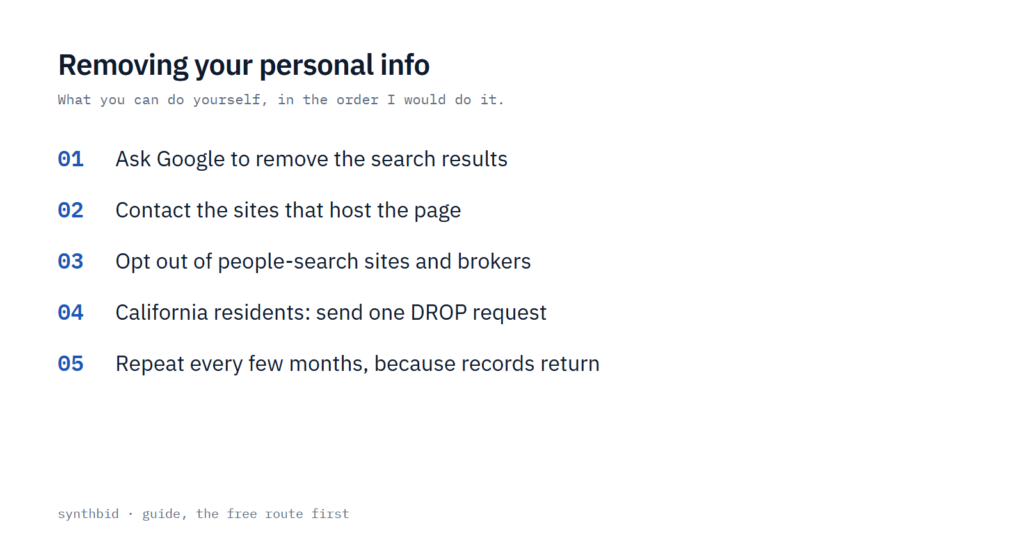
- Search your own name, phone number and email address in a private window and note the URL of every page that shows your details.
- Ask Google to remove the results that expose private information.
- Contact the owner of each site that hosts the details and ask for the page to come down.
- Opt out of people-search sites and data brokers, one listing at a time.
- If you live in California, submit a DROP request.
- Make your social profiles private or delete accounts and apps you no longer use.
- Set an alert for your name and check back every few months.
Ask Google to remove the results
Google has a help page with a button that starts a removal request. It covers a specific list of private details: your address, phone number or email, government ID numbers such as a Social Security or tax ID number, bank account or credit card numbers, pictures of a signature or ID, private records like medical records, and confidential usernames and passwords.
A separate route exists for doxxing, which means someone shares your private details to harm you. Google accepts those requests when a page pairs your information with threats or calls for harassment, or when it gathers a significant amount of personal information with no legitimate purpose.
The form asks for the web addresses of the pages that show your information, and only those addresses are reviewed. It also asks for screenshots, which Google says help it find the content. Before you start, I would collect the page URL, the Google results URL, a screenshot, the search terms that bring the page up, and any supporting document such as a police report.
Know what a yes means. Google removes only the search result. The page stays on the site that hosts it, and people can still reach it through links, social media or other search engines. A full removal means the page stops appearing in Google Search. A partial removal means it stops appearing for searches that contain your name or another identifier, but it can still show up for other searches.
Google emails you when it removes something. It may also decline when the content is newsworthy or of public interest, so a refusal on a news story is normal and not worth a fight.
Two small extras help. Google’s page points to a Results about you feature that finds results with contact details like your address, phone number or email, and it can send notifications when new ones appear. If a result still shows old details after the site has been updated, you can ask Google to refresh it. Both guides I drew on also suggest setting Google Alerts for your name, and one adds your username and email address.
Get the page itself taken down
Because Google only hides the result, the real fix is at the source. Start with the site’s Contact Us page, look for an email address or a form, and send the exact URL where your details appear. If you cannot find a contact option, try the owner’s social media profile, or look up the web host and write to them instead.
If you have an account on the site, sign in and look for a deletion request first. One guide warns that some accounts take up to seven days to close, so keep a note of each site you contact and the date you asked.
Apps follow the same rule. Deleting an app from your phone does not delete what the company holds about you. You need to close the account or request data removal in the app’s privacy settings.
Public records are the hard case. Property deeds, court filings and business licenses are legally public, and one guide says they often stay accessible because of legal transparency rules. I would still send a polite removal request to the site or agency that hosts them, but I would not count on a yes.
When a site ignores you, the law can help in a few cases. California residents can use the California Consumer Privacy Act to see what companies hold, request deletion and opt out of the sale of their data, after verifying identity. In the European Union, the GDPR gives a right to erasure. If someone reposted your own photos or writing, a DMCA takedown notice applies, and false, damaging claims may justify a defamation demand, though that often needs legal help.
Opt out of people-search sites and data brokers
People-search sites operate legally in the US by publishing public records. One guide says they must offer an opt-out, but they do not make it easy, which is why this step takes the most hours.
To find who holds your details, search your name on the biggest sites and check a data broker directory. The PrivacyRights data brokers list shows which brokers collect personal data and how to opt out for free. Then work through the opt-out pages, starting with the sites that rank highest when you search your name.
The process looks similar everywhere. On Whitepages, the first step is to paste the URL of your profile. Spokeo also asks for the profile URL, and its page says each listing has its own URL and has to be opted out individually, that your details may still appear on other websites, and that a request should be processed in 24-48 hours. A published guide also lists MyLife and Radaris. Pages like these move, so if a link fails, search the site’s name with the words opt out.
Expect to keep going. There are dozens of these sites, and no single form removes you from all of them. Even clearing a handful makes a noticeable difference, according to one guide. Brokers can also collect your details again, and Spokeo says the same about its own records, so repeat the request periodically. One guide’s advice is to check back with people-search sites every few months.
California residents: use DROP
If you live in California, DROP is the shortest route on this page. It is the state’s Delete Request and Opt-out Platform, it is free, and it lets you tell data brokers to delete and not sell your personal information. One request goes to over 600 registered data brokers, and the state says DROP launched on January 1, 2026.
- Verify your eligibility by confirming that you are a California resident.
- Create a profile with basic information about yourself. You choose how much to give.
- Submit your request, which reaches the registered brokers in one go.
Eligibility is checked through the California Identity Gateway. You do not need an account there, and DROP does not keep what you enter. You can type your details directly or sign in with Login.gov, which the page suggests only if you already have a Login.gov account. A parent can file for a child, and a family member can file for an elderly relative who is a California resident.
Be realistic about timing. Starting August 1 this year, brokers are due to check DROP at least once every 45 days to begin processing requests, and the page says it could take up to 90 days before your status updates. The state also says results vary, and that once your data is deleted you may see fewer targeted ads and less personalized content.
DROP only speaks to data brokers. It will not take a page off a blog or a forum, and it does not touch Google, so it sits beside the other steps and does not replace them. The route is limited to California residents, so everyone else works through the manual opt-outs or a paid service.
Tighten social profiles and old accounts
You do not have to delete your social accounts to protect your privacy. One guide suggests making the profile private and opting out of search results, deleting posts or photos that show your location, removing posts that show your workplace, hometown or relatives, untagging yourself from public posts, and hiding details such as your birthday and phone number.
If you do want out, deletion is not instant. Facebook, X, Instagram, TikTok and Snapchat each hold a closed account for about 30 days before it is gone for good, according to one guide, and Facebook and Instagram let you download your data first. Closing an X account does not cancel an X subscription, so cancel that separately.
Old accounts are a quiet source of exposure. To find them, run your email address through a breach checker such as Have I Been Pwned, which lists the breached accounts and the kind of data exposed, then change the password or delete the account. Search your inbox for old sign-up and inactivity emails and close what you find. Apps you no longer use should go too, because some keep tracking after you stop opening them.
A few habits keep the cleanup from refilling. Think before posting, use a masked email address when a site only needs one to sign you up, deny app permissions for contacts, camera and location unless the app needs them, and delete accounts you no longer need. A password manager helps because unique passwords stop being a chore, and my Bitwarden review and 1Password vs Bitwarden comparison cover two options.
A VPN hides your IP address and encrypts your traffic, which is worth having, but it does not remove anything already published, so I would not count it as a removal tool. My NordVPN review and Mullvad review cover two I would look at if you want one for that reason.
What a paid removal service does
A data removal service scans for your name, address, phone number and other details, and when it finds a match it sends the opt-out request to the broker or people-search site for you. Many keep monitoring and file again if your information reappears, and most report which requests are done and which are pending. It is the same manual work as above, done on a schedule by someone else.
The limits are real. Some sites reject opt-out requests and a service cannot force them to comply. Coverage varies, with one guide putting it between 200 and 700 sites, and the fee keeps running because the checking never stops. A dashboard in one guide shows a data broker request that takes an average of 37 days to action, so expect weeks and not days.
On price, the two guides do not agree. One lists Incogni from $7.99 a month, DeleteMe from $8.71 and Optery from $3.25, and says Optery has a free plan. The other lists Incogni from $7.19 and DeleteMe from $6.97, and gives $7.49 for Incogni elsewhere on the same page. Coverage counts differ too: DeleteMe is listed at 750+ sites in one guide and 180+ in the other. Prices move, so check the provider’s own page before paying.
My rule of thumb is to do the Google request and the top people-search opt-outs yourself first, because they are quick and they show you how much is out there. If the list is long, or you cannot face repeating it every few months, a service earns its fee as a time saver, not as a promise that everything disappears.
What is realistic, and what to avoid
You cannot remove yourself from the internet completely. Archived pages and search engine caches keep older versions, brokers pass data between themselves so a deletion at one can be undone by another, public records stay public, and screenshots and reposts live outside your control. One guide adds that data used to train AI systems is harder to pull back once it sits in a dataset. The practical goal is to make you harder to find.
It also comes back. Your details can reappear when you open new accounts, when brokers obtain fresh data, or when a company you deal with is hacked. I would put a reminder in the calendar every few months to search your name again and revisit the people-search sites.
What not to do
- Do not treat a Google removal as a takedown. The page stays online until the host removes it.
- Do not delete an app and assume your data went with it.
- Do not hand over more than a form asks for. DROP says brokers need only basic information, and one guide advises keeping the data you give any site to the minimum.
- Do not pay for a service before you have seen what is out there. The free steps show you the size of the problem.
- Do not expect a clean sweep from any single tool, free or paid. Sites can refuse, and records come back.
When this does not apply
Parts of this guide have limits. DROP is for California residents only. Google’s form covers the categories on its help page, and newsworthy content may stay up. The legal routes depend on where you live: GDPR rights apply in the European Union, and in the US data rights depend on your state.
FAQ
How do I remove my personal information from the internet for free?
Ask Google to remove results with its help page request, use the contact form or email address of each site that hosts your details, and opt out of people-search sites yourself. California residents can also submit a free DROP request. It costs time, and you will need to repeat it because details resurface.
Can personal information be removed from the internet?
Much of it can, but not all. Google results, many people-search listings and broker records can be removed. Archives, public records, screenshots and reposts often cannot, so the realistic goal is to reduce what people can find and not to erase it.
How much does it cost to remove your personal information from the internet?
Doing it yourself is free. Paid services list starting prices from $3.25 to $14.99 a month in one guide, and the two guides I drew on disagree on several prices, so confirm the figure on the provider’s own page.
Does Google removing a result delete the page?
No. Google removes the result from its search only. The page stays on the site that hosts it, and people can reach it through links, social media or other search engines, so you also need to contact the website owner.
Sources
- Google Search Help, remove my private info from Google Search
- State of California, Delete Request and Opt-out Platform (DROP)
- Whitepages, opt-out page
- Spokeo, opt-out page
- Cybernews, how to remove your information from the internet
- Security.org, how to remove your information from the internet
- How I test