Bottom line
- No single setting stops spam calls. The FTC says your best defense is call blocking and call labeling, because scammers ignore the Do Not Call Registry.
- Start with what your phone already does, such as Silence Unknown Callers on an iPhone or spam filtering on Android, then add a carrier tool or an app if the calls keep coming.
- Register your numbers anyway and report the calls that get through, but expect it to take a few weeks or months before the volume drops.
This guide is for anyone whose phone rings several times a week with numbers they do not know. The trade-off is easy to state: the tools that stop the most spam can also stop a call you wanted, so the order you switch them on matters.
The short answer
The FTC starts from an uncomfortable fact: scammers do not care whether you are on the National Do Not Call Registry. Its conclusion is that call blocking and call labeling are your best defense. Blocking stops the call before it reaches you, while labeling lets it ring but marks it with a warning such as spam or scam likely, so you decide whether to answer.
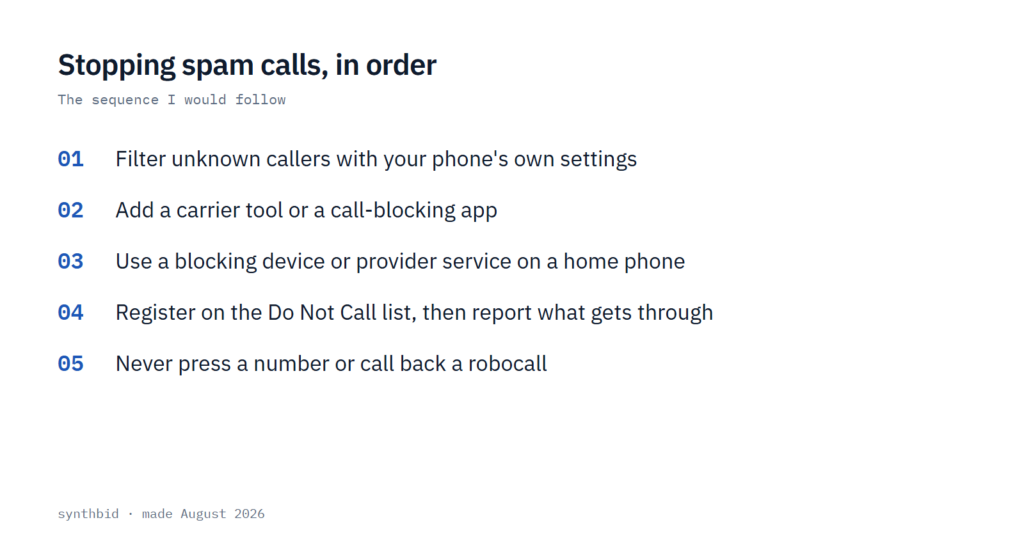
That gives a sensible order, and the rest of this guide follows it:
- Turn on the call filtering that is already built into your phone.
- Add a carrier tool or a call-blocking app if the calls keep coming.
- If you have a home phone, use the option that matches the kind of line you have.
- Register your numbers and report the calls that get through.
- Drop the habits that make it worse, such as pressing a number to opt out.
Start with your phone’s own settings
On an iPhone, the strongest built-in switch is Silence Unknown Callers, under Settings, Apps, then Phone. It silences every call from a number that is not in your contacts and sends it to voicemail, and the call still appears in Recents so you can return it if it was real. PCMag calls it more effective than blocking numbers one at a time, though drastic.
Newer iPhones also have call screening in the same Phone menu. Under Screen Unknown Callers you can choose Ask Reason for Calling, which has the phone question the caller and show you what they say, or Silence. CNET picked Ask Reason for Calling for most people, because it also surfaced a call from a doctor’s office that Silence would have sent to voicemail. I would start there if you expect calls from businesses, and move to Silence only if the questions still let too much through.
The same menu has Call Filtering. You can send calls from unknown numbers to voicemail and into an Unknown Callers list, or send only the calls identified as spam to voicemail and into a Spam list. Call screening needs a recent iOS version, and one review says it works on any iPhone that can run iOS 26 and is not tied to Apple Intelligence.
Android varies by maker, so the menu names differ. On most phones you open the Phone app, find the number in your recent calls and choose block or report as spam, and some models can also block all unknown numbers from the app’s settings menu. Google’s own filtering goes a step further by checking whether a call really comes from a device or from a spoofed copy of a familiar number. Security.org says spam protection is on by default on Android and tells you to check that See Caller and Spam ID and Filter Spam Calls are switched on, under Spam and Call Screen.
Blocking a single number is the weakest tool here. Robocallers cycle through thousands of numbers, and many copy the start of yours, so a number you block often never calls again and the next one is new. The FTC calls the copied-number trick neighbor spoofing, and notes that the number shown often belongs to a real person who has no idea it is being used.
Filtering has a cost. The FTC warns that call-blocking services might block calls you want, so I would check your voicemail and Recents list every few days for the first couple of weeks after you switch something on.
Add a carrier tool or an app
A call-blocking app works as a filter. According to the FTC, the company behind it uses call data and reports from users, the FTC and other sources to predict which calls are illegal or likely scams, and the app intercepts those calls before they reach you. Some apps are free and others charge. Many let you choose what happens to a flagged call: stop it, let it through without ringing, or send it to voicemail.
Some apps ask for access to your contacts list, so read the privacy policy before you install one. The FTC suggests checking the ratings in your phone’s app store, reading expert reviews, and looking at the list of apps kept by the wireless industry at ctia.org.
I would look at your carrier first, because the basic version is often free. PCMag‘s roundup lists AT&T’s ActiveArmor app, which is free, and Verizon’s Call Filter for compatible phones on postpaid plans, which has a free version that detects and filters spam. T-Mobile has Scam Shield for postpaid T-Mobile and Metro customers, with a paid Premium tier. The FTC also points to the FCC’s Call Blocking Resources page for company-specific instructions.
If you would rather not depend on your carrier, the same roundup covers Hiya, RoboKiller, Truecaller and Call Control, each with a premium tier. Hiya warns you using a database of known scammers and telemarketers, RoboKiller answers spammers with prerecorded nonsense, and Call Control leans on community reports. I would not pay for any of them until a free version has shown it helps.
Home phones and landlines
Find out what kind of line you have first. The FTC says that if your service comes from a cable company or a phone, internet and cable bundle, you probably have internet-based phone service, known as VoIP, and your provider can confirm it. For VoIP, internet-based call-blocking services exist, some free and some charging each month, and some of them need every call routed through their service.
A traditional landline that does not use the internet needs a call-blocking device, which is usually a small box that attaches to your phone. Some devices use a database of known scam numbers and let you add your own, while others depend entirely on a list you build. Some can also send calls to voicemail, flash a light, or play a recording that asks callers to press a number, which weeds out many robocalls.
Your phone provider may offer blocking too, and some of those services are free. One review adds that some landline phones come with call blocking built in.
Register and report
Registering is free for a home or mobile number. The FTC says the National Do Not Call Registry is designed to stop sales calls from real companies that follow the law, and that it will not stop scammers from making illegal calls. It also says being listed should reduce the number of calls you get and make scam calls easier to spot.
The registry does not cover every legal caller. Its own page says charities, political groups, debt collectors and surveys may still call after you register, and that you should report an unwanted call that arrives once your number has been listed for 31 days. If the call is a sales robocall and you never gave written permission, the FTC says it is illegal whether or not your number is listed.
Reporting is worth doing. If you did not lose money, you can use the form at DoNotCall.gov, and if you did, the FTC points you to ReportFraud.ftc.gov. Include the number that received the call, the number on your caller ID even if you think it is fake, any number you were told to call back, and the date and time. Each business day the FTC releases the illegal callers’ numbers that people report, which helps phone companies that build blocking and labeling tools.
What not to do
If you answer and hear a recording, hang up, do not call back and do not press a number. The FTC says pressing a number can lead to more robocalls. Then report it, because a sales robocall without your written permission is already illegal.
Do not trust caller ID. Scammers use fake names and numbers to look like a government agency, and the FTC warns that not every scam call gets flagged. Do not give out personal information over an unexpected call either, which is advice that Security.org also repeats.
Do not expect an overnight change. One review says spammers are persistent, so the volume may take a few weeks or months to fall after you follow these steps. Even then some calls will get through, which is why I would keep the reporting habit.
Finally, hand out your number less. The best way to stop new spammers getting it, says the same review, is to give it away rarely, and it suggests a second number such as Google Voice for online forms. If you want to see where your details are already listed, the guide on taking your personal information off the internet walks through it, and the roundup of the best data removal services covers the paid options. I treat that as a separate privacy job, not as a way to stop calls on its own.
FAQ
Why am I suddenly getting so many spam calls?
Nothing in the FTC guidance points to a single cause. It does describe neighbor spoofing, where a scammer copies the start of your number so the call looks local, and one review says robocallers cycle through thousands of numbers. Giving your number out often adds to the problem, and if you registered on the Do Not Call Registry recently, its page says to wait until the number has been listed for 31 days before reporting a call that still arrives.
What’s the code to block all spam calls?
The FTC guidance does not mention a dial code. What it describes is call-blocking apps, features built into your phone, and services from your phone provider. The nearest thing to one switch is Silence Unknown Callers on an iPhone, which silences every number that is not in your contacts.
How to block spam calls automatically?
On an iPhone, turn on Silence Unknown Callers, or use Call Filtering to send spam to voicemail. On Android, check that the spam filter under Spam and Call Screen in the phone settings is on. A carrier tool or app can add automatic filtering on top, though any automatic filter can catch a call you wanted.
Does the Do Not Call Registry stop spam calls?
It stops sales calls from real companies that follow the law, and the FTC says it will not stop scammers. I would still register, because it should reduce the calls you get, and then rely on blocking and labeling for the rest.